


Home > Presentation Marker > Quick Start Guide
Presentation Marker
1. How to mark on screen |
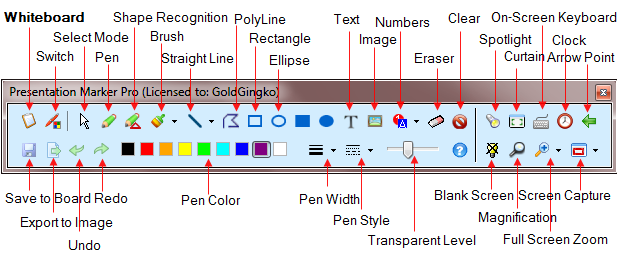
To mark on screen, just click Screen button or with the system-wide hot keys Alt + 2. A Screen Marker Toolbar will float on screen as shown in Figure 1.
How to Exit Drawing Mode?
|
2. Keyboard Control |
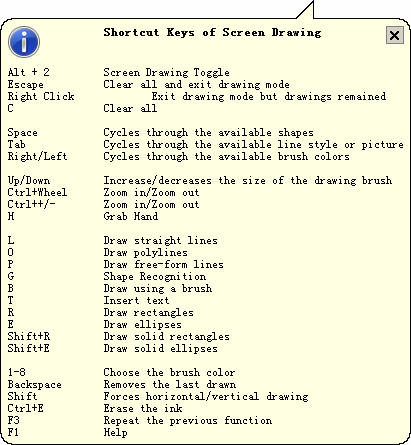
| Presentation Marker allows you to perform all actions with the keyboard. You can click the "Shortcut Keys" button to see the shortcut keys for drawing, as shown in Figure 2.
|


From $44.95
Money Back Guarantee
For teachers and for business persons who may have to make presentations, this screen marker software should be handy. |
The best software to use for mark on the screen. |

