
| CaptureSaver - Capture, organize and search information | |||
![]() |
Capture, organize, and search the information you gather on the Internet. Save and search informations instantly! CaptureSaver is a professional internet research tool which lets you save web page into an off-line research and reference library while you are surfing the Internet. |
||
| Presentation Pointer - Grab your audience’s attention and focus | |||
![]() |
In presentations it’s all about to grab and to focus the attention. The Presentation Pointer makes it easy for your audience to follow your actions on the screen. It adds cursor highlighting abilities and more visual and audible mouse click effects. It also displays your keystrokes in an overlay at the bottom of the screen and allows you to draw freely on the screen but not lock the screen.
|
||
| Presentation Marker - Annotates and marks up directly on screen | |||
![]() |
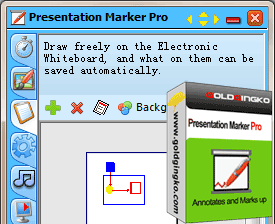
Presentation Marker allows users to mark screen directly and zoom into certain portions for quick explanation. Moreover, it offers more additional tools – Spotlight, Curtain, Screen Digital Clock, Arrow Point, Magnification, Screen Capture etc. It could offer a significant help during a product demonstration or presentation when there is a need to make annotation on screen for better illustration. |
||
| TaskmgrPro - Enhances Windows Task Manager | |||
![]() |
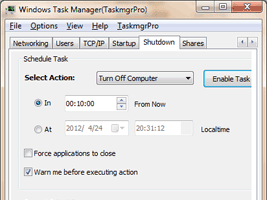
Enhances Windows Task Manager TaskmgrPro enhances Windows Task Manager and provides powerful features. It allows you to batch kill or resurrect processes, to batch stop or start services, to view all established TCP connections, and manage shared folders in an easy way. |
||
| ChmZoomer - Add zoom function in chm files and e-books | |||
![]() |
Add zoom function in chm files and e-books ChmZoomer lets you change font size freely in chm file and give you handy full page zoom functionality in all other browser-based applications, such as e-Books, RSS Reader and so on. Press [CTRL +] or [CTRL Mouse wheel up] to zoom in. Press [CTRL -] or [CTRL Mouse wheel down] to zoom out. Reset zoom to 100% with Ctrl-0. |
||
| MonitorSwitch - Quickly move windows between monitors (Freeware) | |||
|
|||